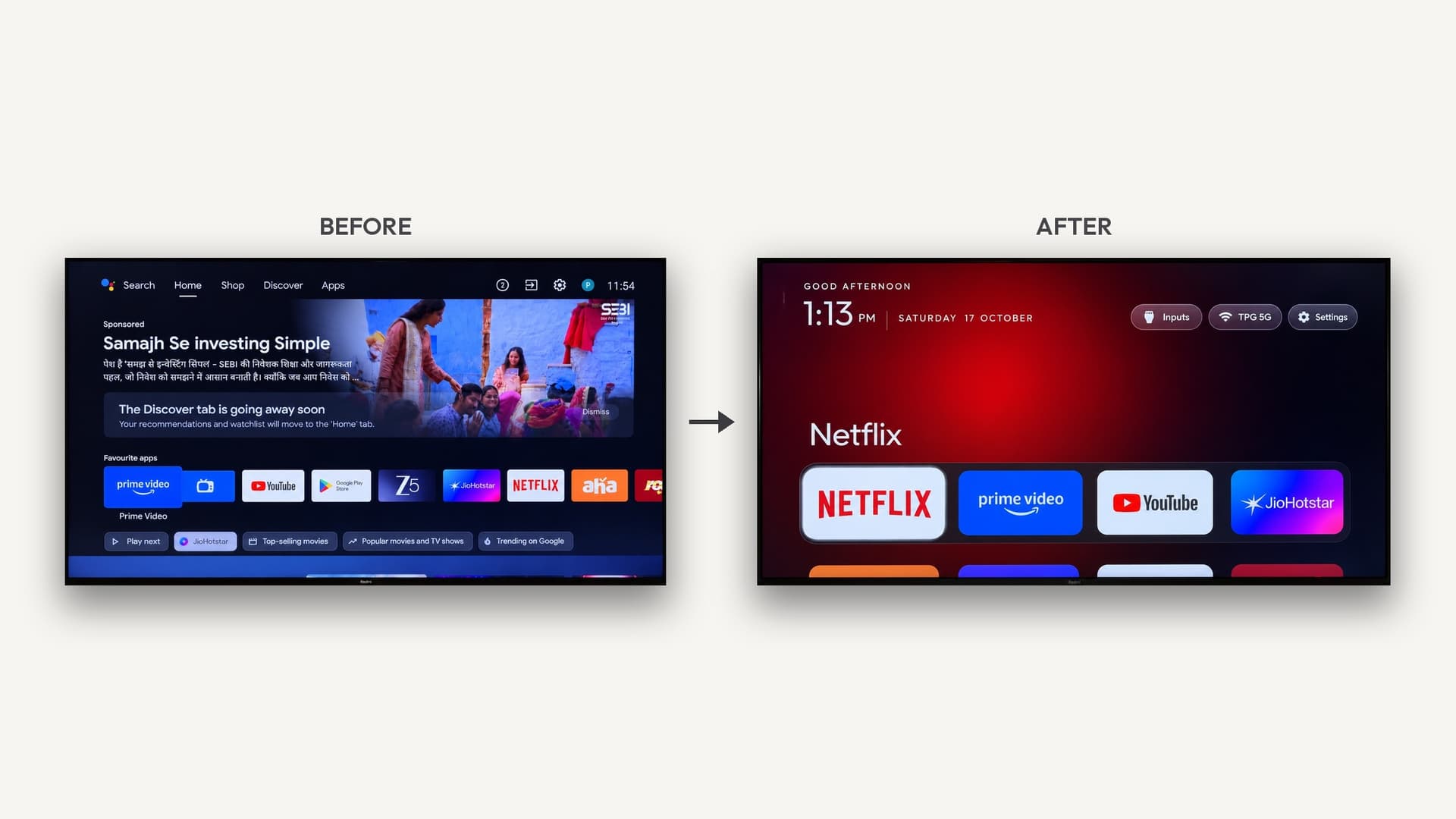
You can't strip apps off an LG webOS TV the way you can on Android TV, but AI can build you a cleaner one. LG's free Developer Mode lets Claude Code or another agent install a custom ad-free launcher with no root, and a small script can send the Home button to it. Turn off LG's ads in Settings first.
Last updated October 26, 2026.
What "debloat" means on an LG TV
On Android TV and Google TV, debloating means switching off the TV maker's apps over ADB. LG's webOS has no ADB and no way to disable built-in packages, so there is no true debloat step. What you can change:
- The ads and recommendation rows on LG's home, through the TV's own settings
- The home screen you actually use, by installing your own launcher app through Developer Mode
- What the Home button opens, with a small helper script on another device
If you want to remove packages outright, an Android TV or Google TV set is the better target. See which smart TVs can AI debloat.
Step 1: turn off LG's ads (no code)
Names vary a little by webOS version:
- Settings → General → System → Additional Settings → Home Settings: turn off Home Promotion and Content Recommendation.
- Settings → Support → Privacy & Terms → User Agreements: untick Viewing Information and Interest-Based Recommendations.
This takes five minutes and removes most of the promoted tiles and tracking. Everything below is for people who want their own home screen too.
Step 2: Developer Mode, LG's official sideloading route
- Create a free account on LG's webOS TV developer site.
- Install the Developer Mode app from the LG Content Store on the TV and sign in.
- Turn on Dev Mode Status (the TV restarts), then turn on Key Server and note the IP address and passphrase.
- Connect your computer with LG's `ares` command-line tools (`@webos-tools/cli` on npm). An AI agent can run these commands for you.
Nothing is rooted, firmware updates keep working, and deleting the Developer Mode app removes what you installed. Sessions expire, so the app shows a timer with an Extend Session Time button.
Step 3: have the AI build or adapt a launcher
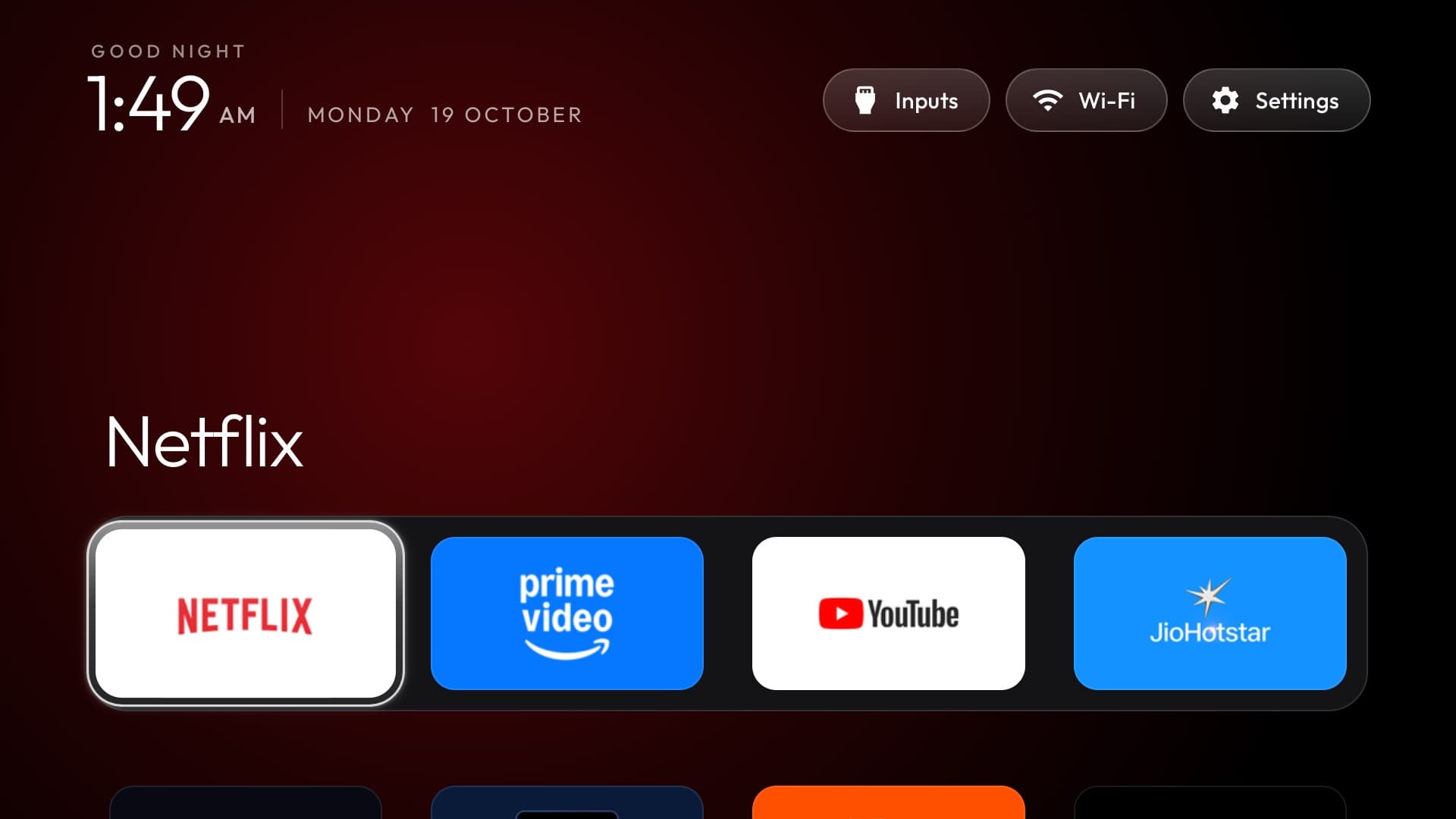
A webOS app is a packaged web page: HTML, CSS and JavaScript plus an `appinfo.json` file. That's exactly the kind of code AI writes well. The open-source webos-vibehack project is a good base: an Apple TV-style dock of four apps, a grid of the rest, and inputs, Wi-Fi and settings along the top. Two webOS quirks to tell your agent about:
- webOS apps can't list the TV's installed apps, so a script on your computer reads the list over the TV's local remote-control connection and bundles it into the launcher.
- Rebuild after you add or remove apps so the grid stays current.
See the build: An Apple TV-style home screen for LG webOS, no root. It's rated 5/5 for AI-buildability: all software, on a TV you already own.
Step 4: the Home button
webOS always sends Home to LG's own home screen, and Developer Mode apps can't see which app is in front. The workaround is a watcher on another always-on device on your network, such as a Raspberry Pi or a Mac that stays awake. It notices when LG's home appears and opens your launcher on top in about a tenth of a second. Without the watcher, Home simply opens LG's home as usual. For a no-script shortcut, hold a number key on the remote and assign the launcher to it.
What about rooting?
Rooted LG TVs, using the webOS Homebrew Channel, can go further: launchers such as Custom webOS Home take over the Home button and the boot screen from the TV itself. Rooting depends on exploits that LG patches in firmware updates, so it only works on some models and versions, and it carries more risk. If your TV isn't already rooted, Developer Mode is the safer route.
Problems you may hit
- Pairing rejected on newer firmware: some open-source LG clients share a signed manifest the TV now blocks. Ask the AI to pair with an unsigned one.
- No pairing prompt on the TV: turn on the setting for connecting from mobile apps (often called LG Connect Apps).
- Apps stop opening after a while: the Developer Mode session expired. Extend it in the app.
- Setup scripts are Mac-first: webos-vibehack's scripts are macOS only for now, but LG's CLI also runs on Windows and Linux, so an agent can adapt them.
Related
- Which smart TVs can AI debloat?
- How to remove smart TV ads with AI
- Is it safe to debloat your smart TV with AI?
- How to vibe code your home over Wi-Fi
- What is vibe hardware?
- Smart TVs, rebuilt with AI